Last-LoTW-Uploads Widget
This widget displays the date of the last (successful) uploads to LoTW and can be added to your qrz.com profile easily.
How does it look?
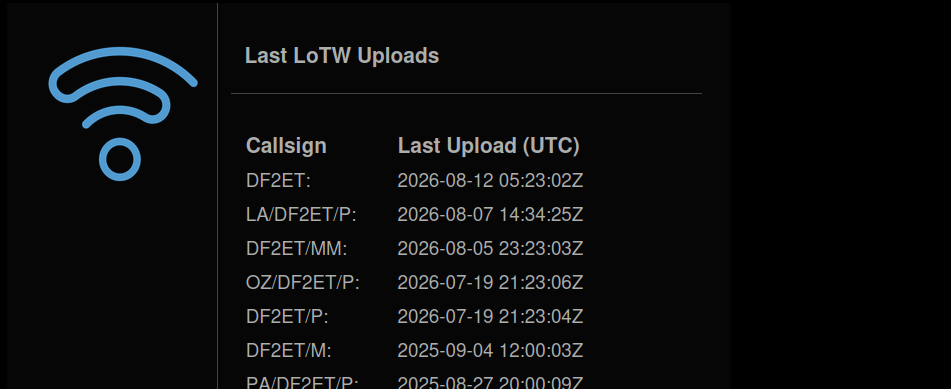
Widget configuration
- The widget is disabled by default and needs to be explicitly enabled by user. Widget configuration is located in
Account > Widgetssettings. - The URL to your widget is displayed under the "Enabled" setting. This URL is unique for each user of the Wavelog, is generated automatically and cannot be changed.
| setting | purpose | default |
|---|---|---|
Enabled |
Enables the widget and reveals your personal widget URL | off |
URL settings
Some aspects of the widget can be further configured via GET parameters appended to the URL. If some option is not supplied, the default value is used.
https://[wavelog url]/index.php/widgets/lotw_upload/xxxxxxxxxx?[option0]=[value]&[option1]=[value]&[option2]=[value]
| option | expected value | purpose | default value |
|---|---|---|---|
text_size |
1 - 6 |
font size used for the text displayed in widget | 1 |
theme |
folder name of any theme installed in your Wavelog, e.g. default / cyborg / darkly / cosmo / superhero / color_impaired |
appearance theme | global theme of the Wavelog instance |
sort |
Sort order date / call |
Change sort order | Date |
Example URL
Usage
For embedding this widget on your website, or for example on QRZ.com, you can use the following code snippet. Do not forget to use your widget URL that you will find in Account > Widgets settings.